Skip to content

Compress PDF for Email Attachments

Summary: The safest way to email a large PDF is to compress it below your provider's attachment limit before sending. This is the rule that prevents bounces: Gmail caps messages at 25 MB and Outlook at 20 MB, and Base64 encoding adds 33% to the transmitted size. According to the PDF 32000-1:2008 specification, the bulk of that weight comes from embedded images and fonts, so compressing those components is what brings an attachment back under the limit. Kompres PDF does this locally in your browser, so the file never reaches a server.

Your files are never uploaded to our servers — all compression happens right inside your browser

Drop your PDF files here

or pick multiple files at once from your device

Choose PDF files

Email Attachment Limits Across Major Providers

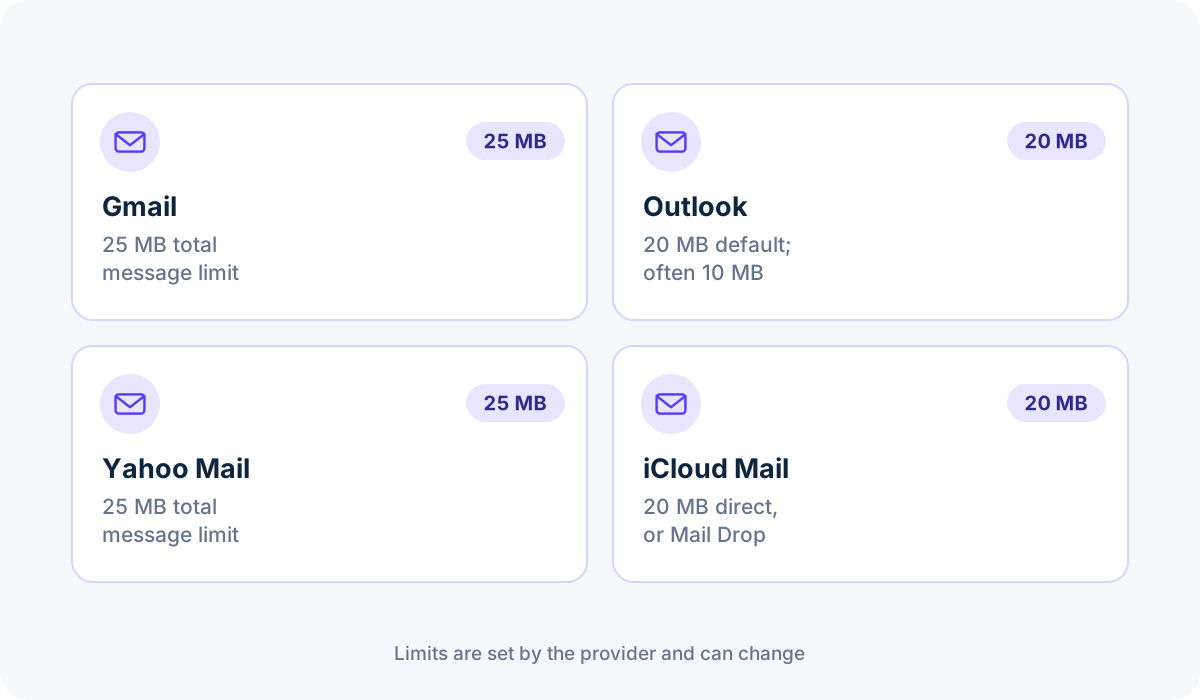
Email providers enforce strict ceiling limits on total attachment size. If your PDF exceeds these limits, your email fails to send or bounces back immediately:

  • Gmail: 25 MB total message limit (attachments + base64 encoding overhead)
  • Microsoft Outlook / Office 365: 20 MB default limit (corporate exchange servers cap at 10 MB)
  • Yahoo Mail: 25 MB total limit
  • Apple Mail / iCloud: 20 MB direct attachment limit (or Mail Drop link)
The Base64 Encoding Trap

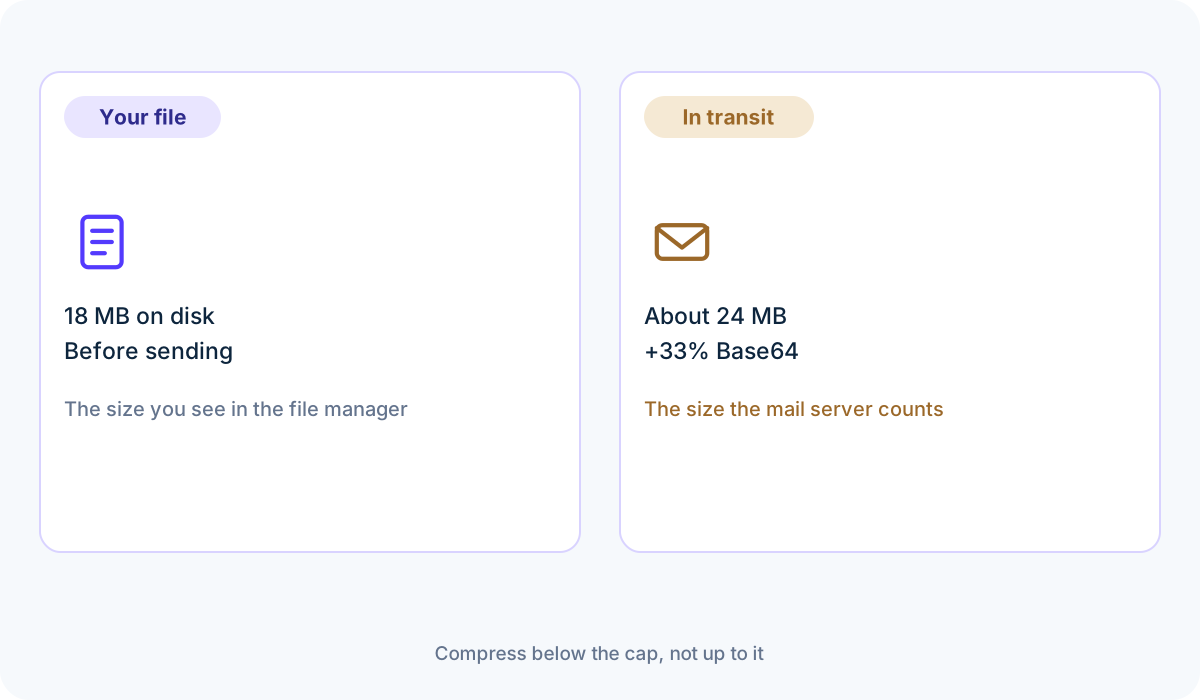
Email protocols encode binary files into MIME Base64 text, which expands file size by 33%. A 20 MB PDF becomes 26.6 MB during transmission, triggering a rejection on a 25 MB limit server. We recommend reducing email PDFs to under 10 MB — or ideally 1 MB to 3 MB for instant recipient downloads. According to MDN's File API documentation [2], the browser reads the PDF locally, so compression happens before your mail client encodes the attachment for transport. Provider limits and preset choices are covered in the PDF compression guide.

Recommended Compression Settings for Email

For multi-page invoices, contracts, and proposals, choose the Balanced preset. If your PDF is heavily photographic or a scanned document, the Smallest Size preset or a target size of 2 MB ensures rapid delivery without clogging the recipient's inbox.

100% Private for Confidential Invoices & Resumes

Invoices, agreements, and CVs contain personal identifiers, bank account numbers, and addresses. Because Kompres PDF compresses files directly in your browser, your sensitive email attachments are never exposed to cloud servers. According to the WebAssembly specification [3], the compression engine runs in a sandboxed virtual machine, and according to the PDF 32000-1:2008 specification [1], embedded images and fonts are the streams that dominate attachment size.

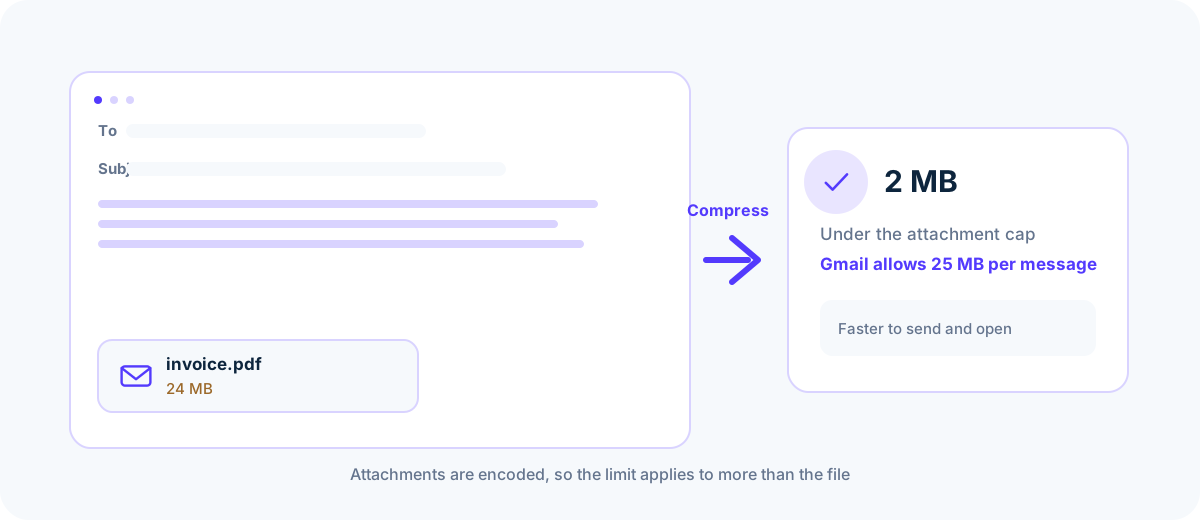
A 24 MB email attachment compressed to 2 MB before sending
Staying well under the cap also speeds up delivery.
Common email attachment caps: Gmail 25 MB, Outlook 20 MB, Yahoo 25 MB and iCloud 20 MB
Caps apply to the encoded message, not just the file.
A file growing by about a third while Base64 encoded for email
An 18 MB file travels as 24 MB.

Common questions

What is the maximum PDF size for Gmail?

Gmail has a 25 MB limit for incoming and outgoing messages. However, due to MIME encoding overhead, any PDF above 19 MB is rejected after Base64 encoding. Aim for under 10 MB for seamless delivery.

Why did my 22 MB PDF bounce on Outlook when the limit is 25 MB?

Corporate Outlook Exchange servers enforce a 20 MB or 10 MB attachment cap. Furthermore, base64 encoding inflates file size by 33%. Compressing the PDF to under 5 MB resolves this issue.

Does the recipient still get a readable, printable PDF?

Yes. The Balanced preset maintains crisp text and sharp image resolution for reading on monitors, smartphones, and printing on standard office laser printers.

Sources & further reading

Standards, official documentation, and technical references behind the guidance on this page.

  1. 1.PDF 32000-1:2008 — Portable Document Format — Adobe / ISO
  2. 2.File API — MDN Web Docs
  3. 3.WebAssembly specification — W3C WebAssembly Community Group